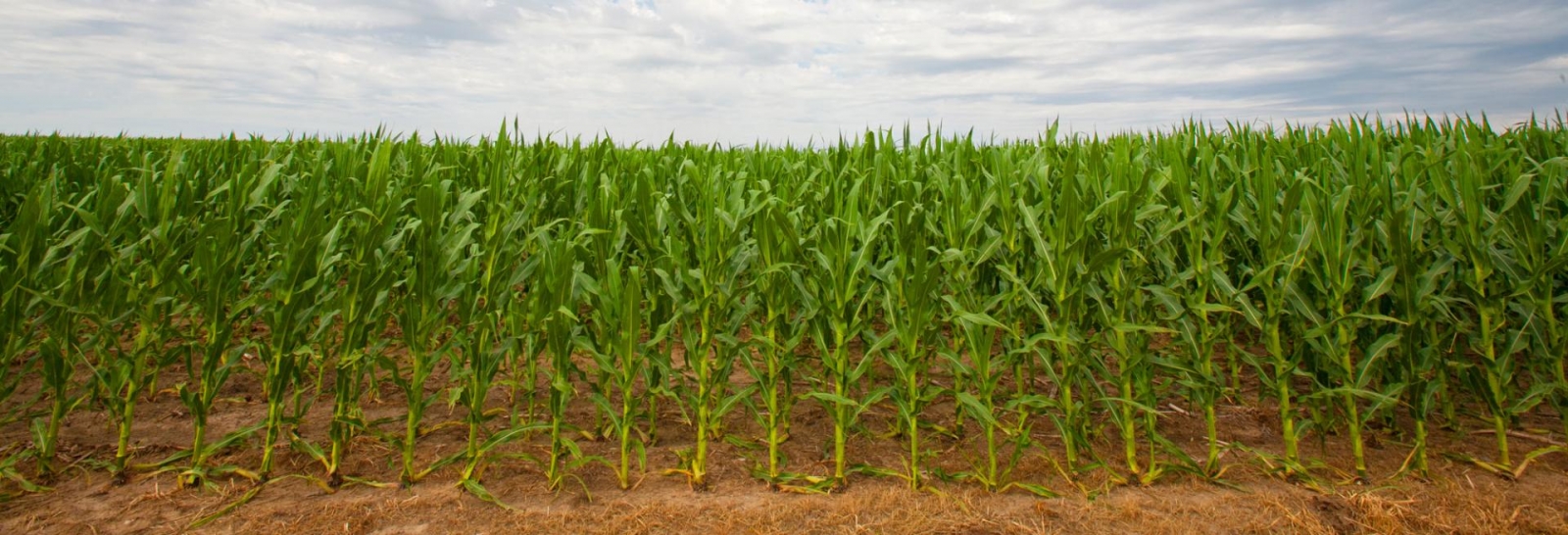
Nebraska is experiencing below-normal snowfall and rainfall during the past winter and this early spring. In addition, the below-average snowpack in the North Platte River Basin has raised concerns about irrigation water supplies for this upcoming growing season. With potentially high irrigation demand expected this summer, making informed irrigation decisions will be critical.
As the irrigation season approaches, this is a good time for producers to register for our free irrigation scheduling tool: ACREE (Applied Collaborative Research, Extension and Education) app.
What Is the ACREE App?
The ACREE app was released in April 2025 as a mobile irrigation scheduling tool designed to support irrigation management across Nebraska. The app estimates soil water depletion using basic field agronomic information from producer and estimated crop water use from nearby Nebraska Mesonet weather stations. Based on these inputs, ACREE tracks crop water use and estimates the amount of water remaining in the soil profile.
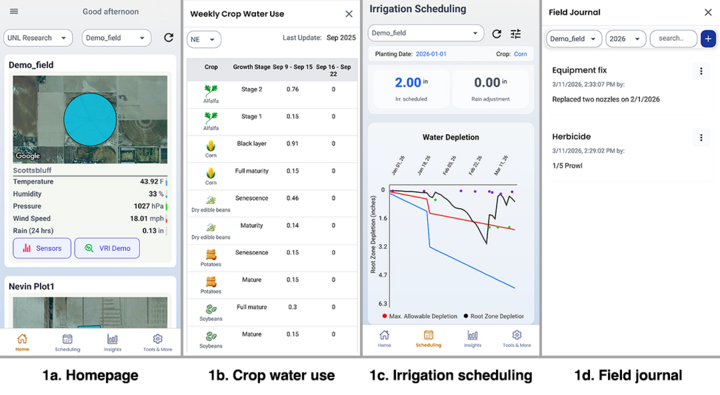
The app doesn’t require installation of any soil moisture sensors. Key features (Figure 1) include:
- Irrigation scheduling recommendations for your particular field
- Weekly crop water use reports (this is generalized weekly crop water use for the Nebraska Panhandle, especially Scotts Bluff County)
- Visualization of the soil water depletion throughout the season
- Field journaling to record crop and irrigation management activities
For producers who have soil moisture sensors installed in their fields, most commercial capacitance soil moisture probes can be integrated with ACREE with additional functionality. One such feature is integration of AI to interpret past seven-day soil moisture patterns (see details in the article, “ACREE App Launches SPADE AI to Detect Soil Moisture Patterns and Anomalies”). Please note this is an experimental feature, and AI can make mistakes.
How to Register and Access the App
Getting started with ACREE requires a few simple steps:
Download the App
Search for “ACREE” in the iOS App Store or Google Play Store and install the app (PHREC AgLab).

| 
|
Create an Account and Request Field Setup
After creating an account in the app, email the irrigation team at the UNL Panhandle Research, Extension and Education Center to set up your fields. Please provide the field name and location using a legal description or GPS coordinate of the center of the field. For example:
- Panhandle Research, Extension and Education Center, northwest quarter of 10-22N-55W
- Panhandle Research, Extension and Education Center, 41.899053, -103.690129
Enter Crop Information
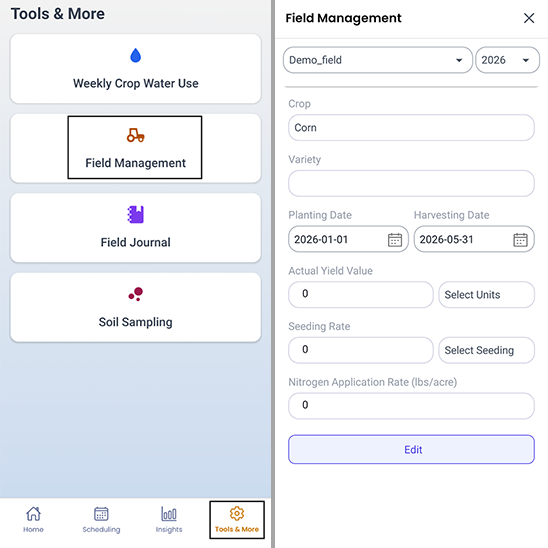
Once the field is created, the field boundary will appear on your app homepage. Enter the crop type and planting date, which are the minimum inputs required for the irrigation scheduling tool to operate.
Enter Irrigation Event or Adjust Rainfall During the Season
Producers will need to enter the irrigation events as they happen, otherwise, the app won’t be able to calculate meaningful soil depletion numbers. Simply click the “scheduling” tab and click on the date the irrigation event occurred, then enter the amount (Figure 1c). The app pulls the nearest Mesonet weather station for rainfall amount. Sometimes this may differ from actual field conditions. Users can adjust rainfall amount by manually selecting the date, then adding or subtracting from the recorded rainfall.
More detailed information about the app’s features and how to use it can be found in the article, “Update to the ACREE app Irrigation Scheduling Tool.”
Questions?
For any assistance, please contact us. Users can also submit feedback directly through the in-app comment icon. The development team will continue improving ACREE based on producers’ input. We will be holding a webinar to provide more detailed training for using the app. Interested producers are encouraged to send an email to the email address above to sign up.